I keep seeing this problem. Jobs say success, but the backups are not usable.
If backups are not your top priority, they should be.
In many environments I review, backups either fail or no one realizes they aren’t happening at all. But the job shows that it succeeded.
Most DBAs know the basics:
- A full backup is needed before a log backup
- FULL recovery model is required for log backups
- No full backup means no restore
It’s a simple idea that still gets missed.
People trust the job history and that is the mistake.
The Problem
A lot of shops use Ola Hallengren’s maintenance solution.
Imagine this scenario:
- Full Recovery model databases.
- No full backup has ever been taken.
- Transaction log backup jobs are scheduled and running.
- The backup jobs complete successfully.
Then someone needs a restore.
That is when you realize there is no log chain and no way to recover.
This could have been prevented with one simple setting. I will show that, plus a couple other options.
What’s Happening
SQL Server needs a real full backup before log backups can start.
If that never happens, log backups are not valid.
The job can still succeed. It just skips the database.
If you only watch for failures, you will miss it.
Quick Test
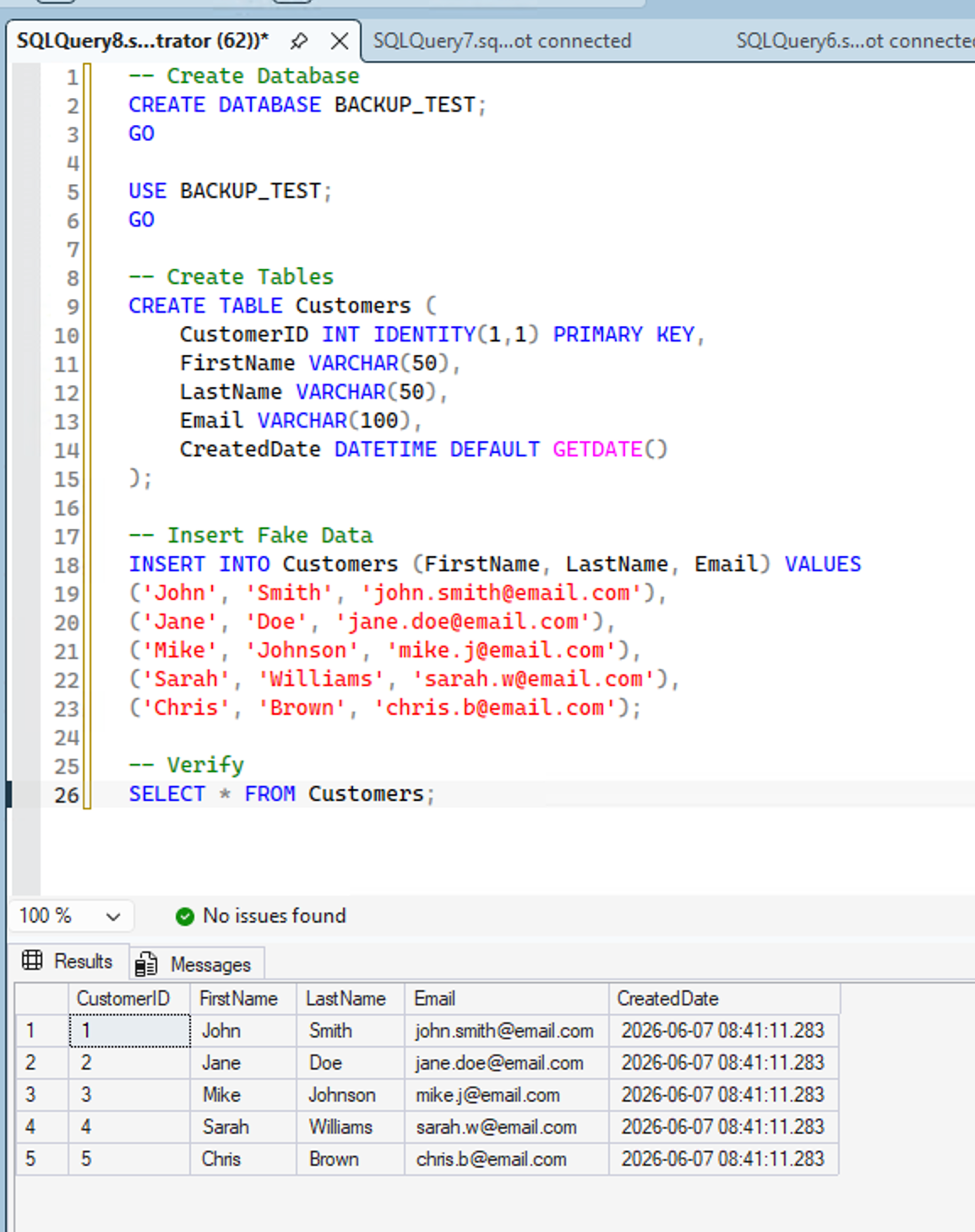
I created a BACKUP_TEST database and inserted some data.
This is the backup job:
EXECUTE [dbo].[DatabaseBackup]
@Databases = 'BACKUP_TEST',
@Directory = 'F:\SQLBackups',
@BackupType = 'LOG',
@Verify = 'Y',
@CleanupTime = 168,
@Checksum = 'Y',
@LogToTable = 'Y'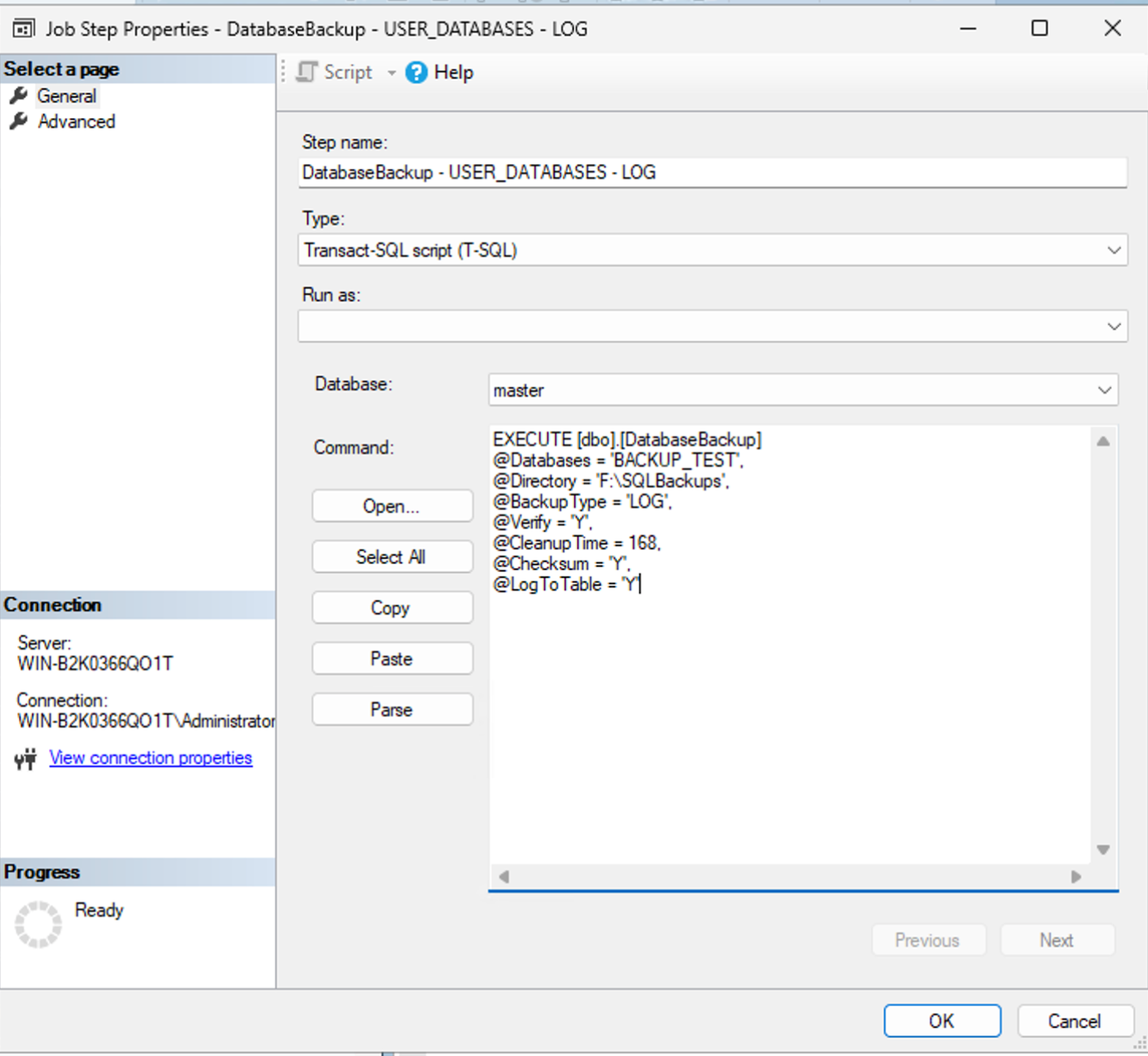
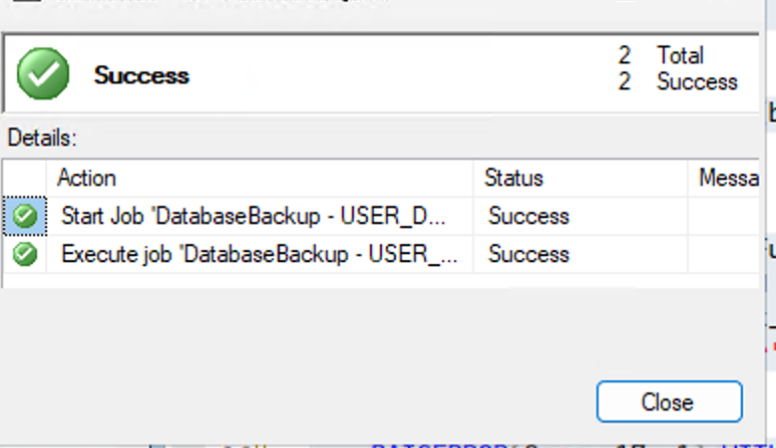
Now run a log backup:
Check Backups and recovery model:
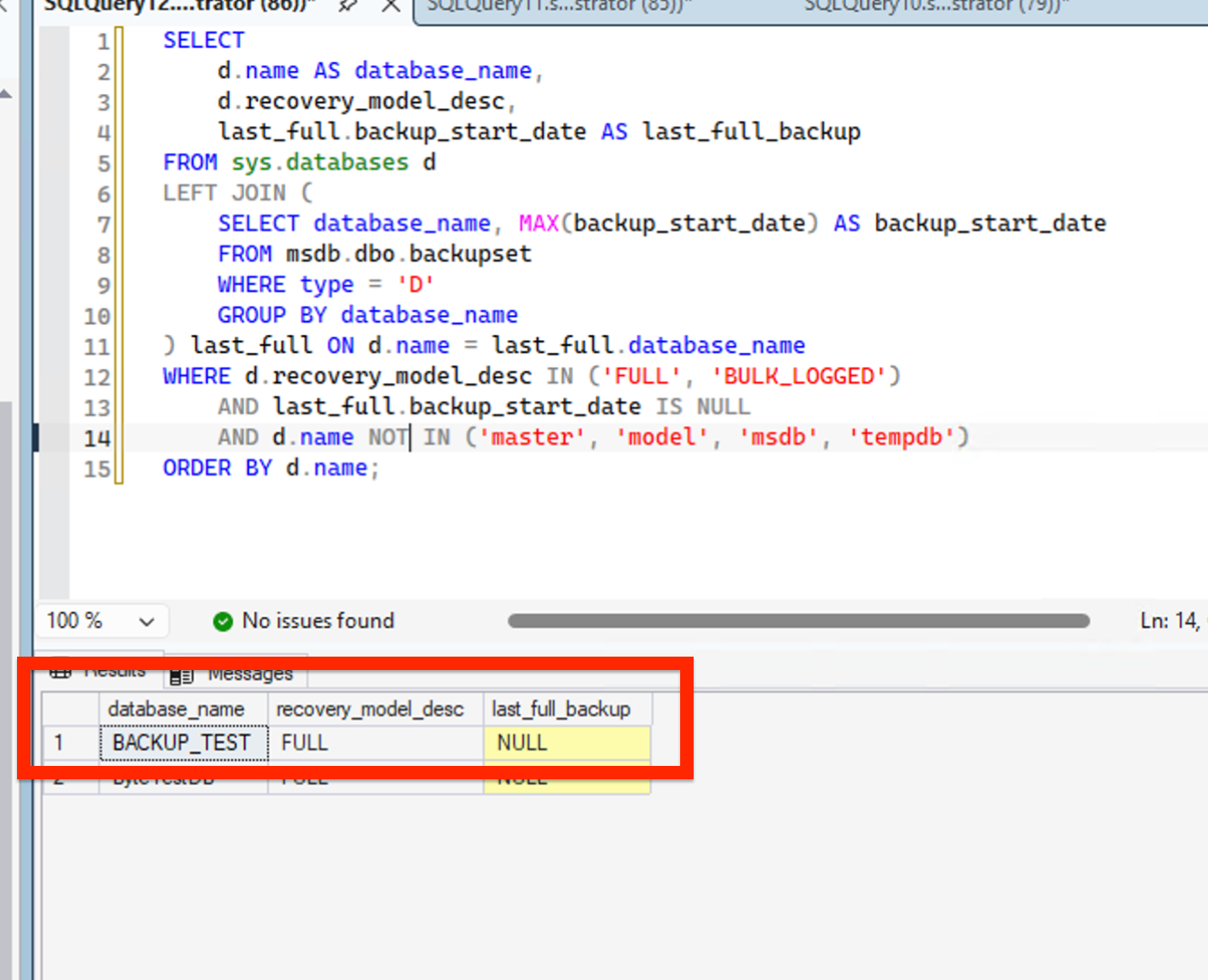
Nothing was backed up!!!
I also ran it directly in SSMS.
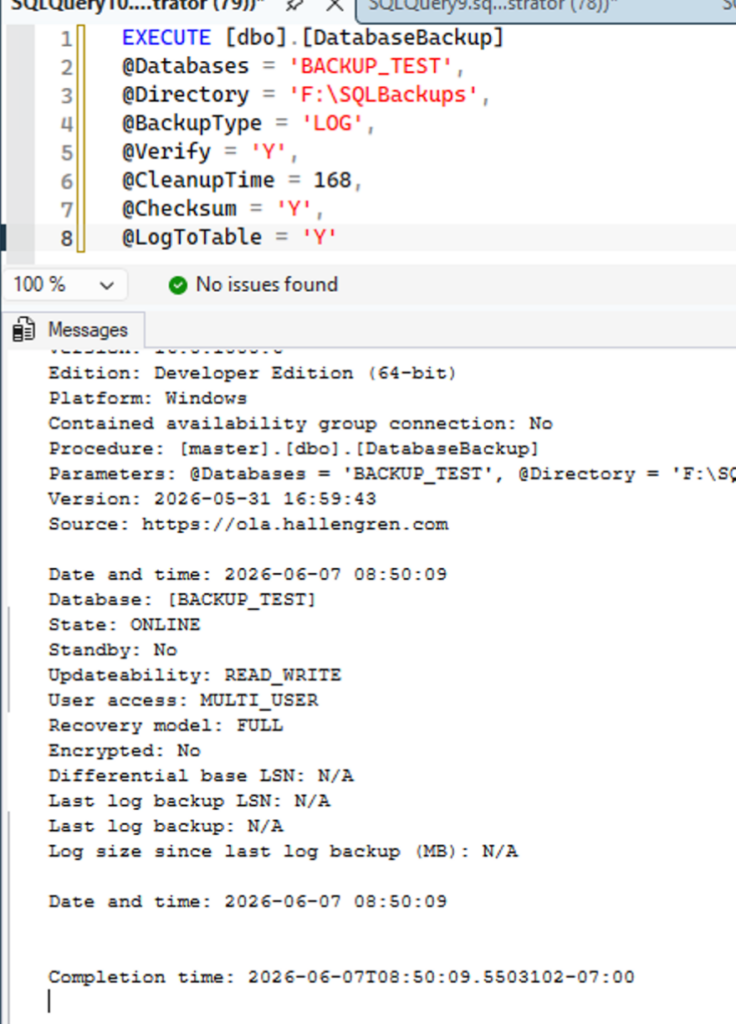
Same result when run manually.
That is an issue if you created, moved, or restored an important database.
Most companies do NOT do a FULL Backup for a whole week.
A Quick Note
I don’t recommend failing the whole job because of one database. I’d rather the job succeeds and I get an alert. One bad database shouldn’t stop everything.
If it is, I would fix that setup too.
How to Fix It
Option 1: Alert on it
Log a warning when a full backup is missing.
I add a step before backups. It writes to the error log but does not fail the job.
DECLARE @msg VARCHAR(MAX) = '';
SELECT @msg = @msg + 'WARNING: ' + d.name + ' has no full backup!' + CHAR(13)
FROM sys.databases d
LEFT JOIN (

SELECT database_name, MAX(backup_start_date) AS backup_start_date
FROM msdb.dbo.backupset
WHERE type = 'D'
GROUP BY database_name

) last_full ON d.name = last_full.database_name
WHERE d.recovery_model_desc IN ('FULL', 'BULK_LOGGED')
AND last_full.backup_start_date IS NULL
AND d.name NOT IN ('master', 'model', 'msdb', 'tempdb')
AND d.name = 'BACKUP_TEST';

IF @msg != ''

RAISERROR(@msg, 17, 1) WITH LOG
ELSE
PRINT 'All databases have a full backup. You are good to go!';\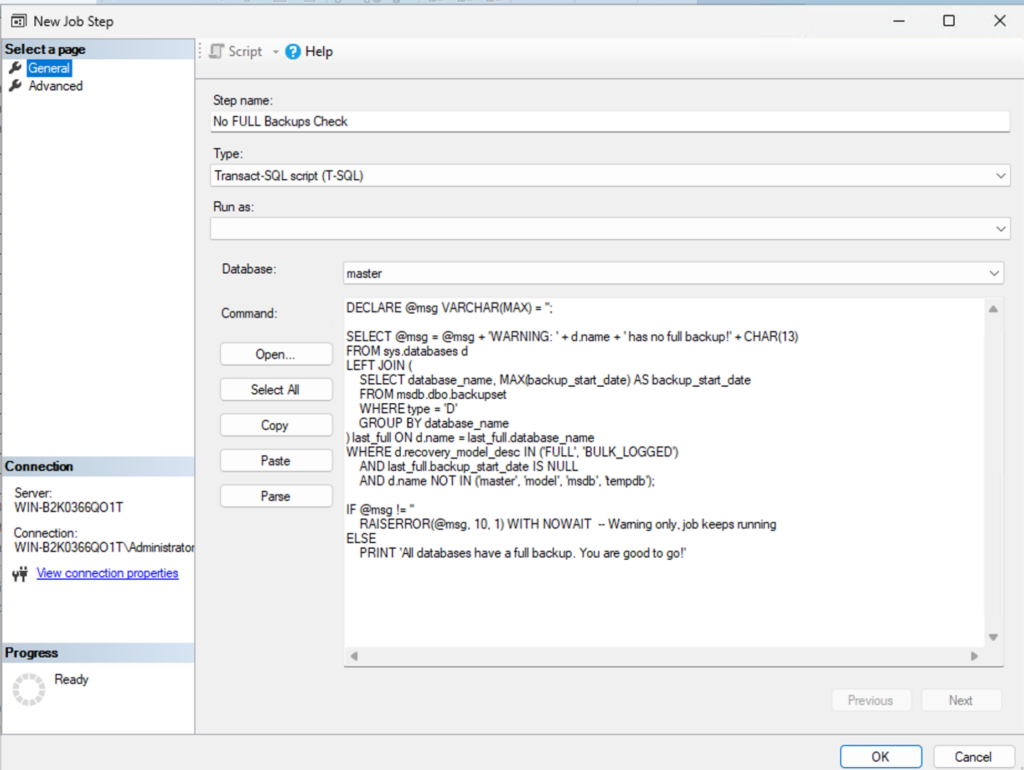
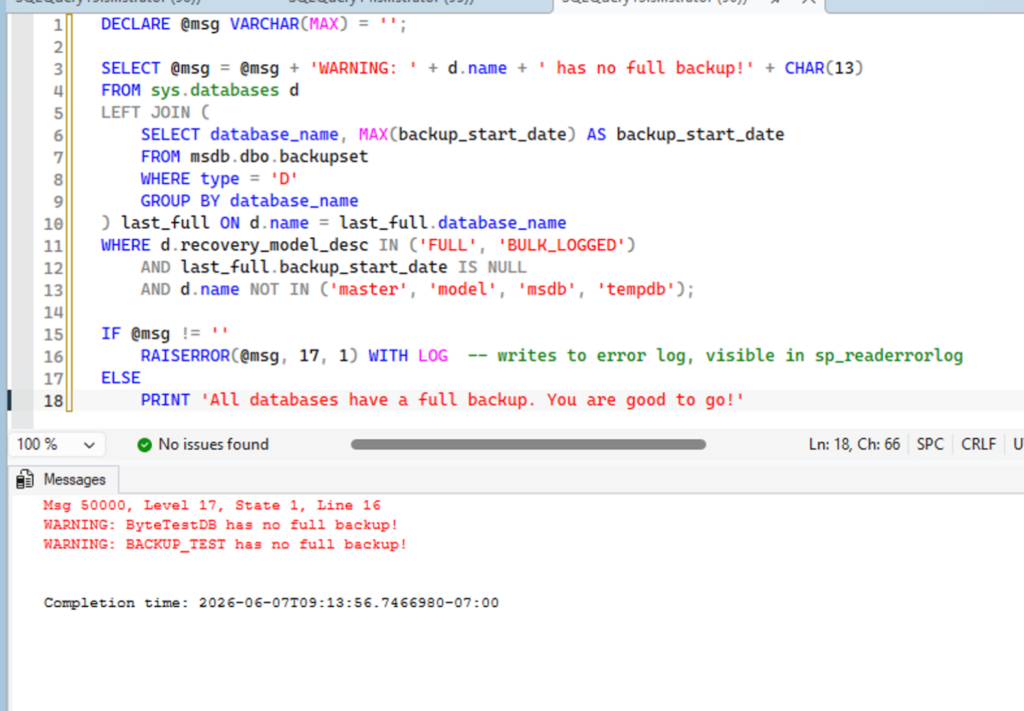
When the job runs, you can see the message in the error log.
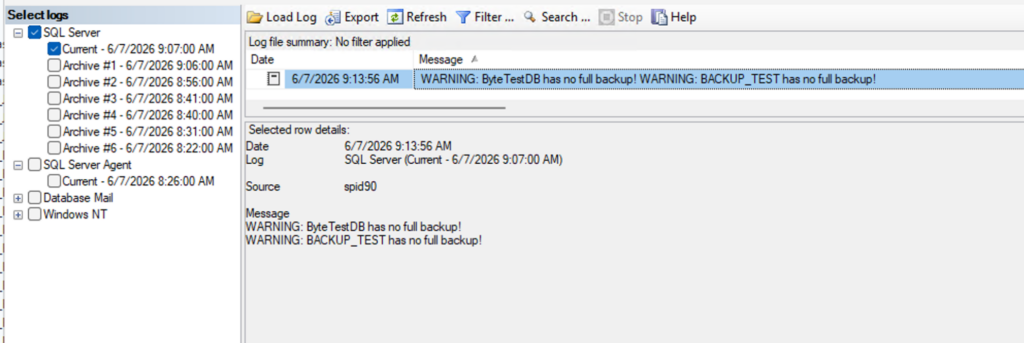
Then create an alert, email, ticket or whatever you use to monitor your environment.
Option 2: Let the job fix it
This is the easiest option.
EXECUTE [dbo].[DatabaseBackup]
@Databases = 'BACKUP_TEST',
@Directory = 'F:\SQLBackups',
@BackupType = 'LOG',
@Verify = 'Y',
@CleanupTime = 168,
@Checksum = 'Y',
@ChangeBackupType = 'Y',
@LogToTable = 'Y'
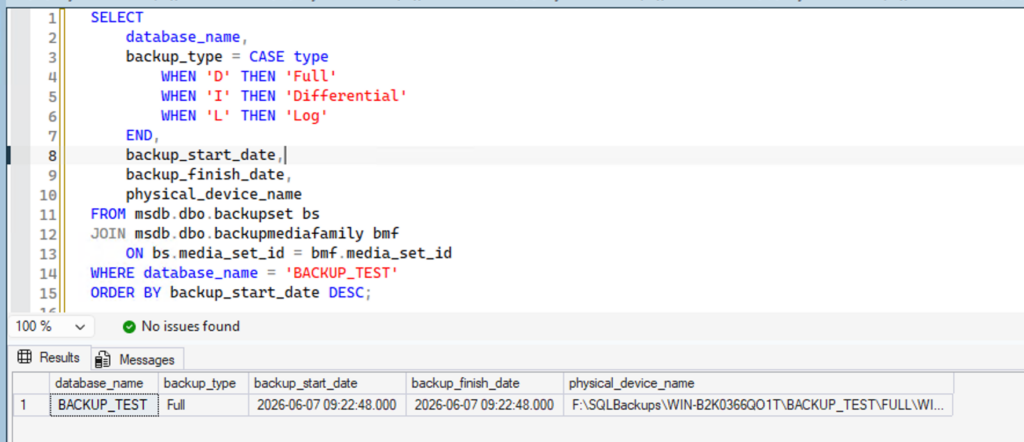
If a log backup cannot run, it takes a full instead.
First run:
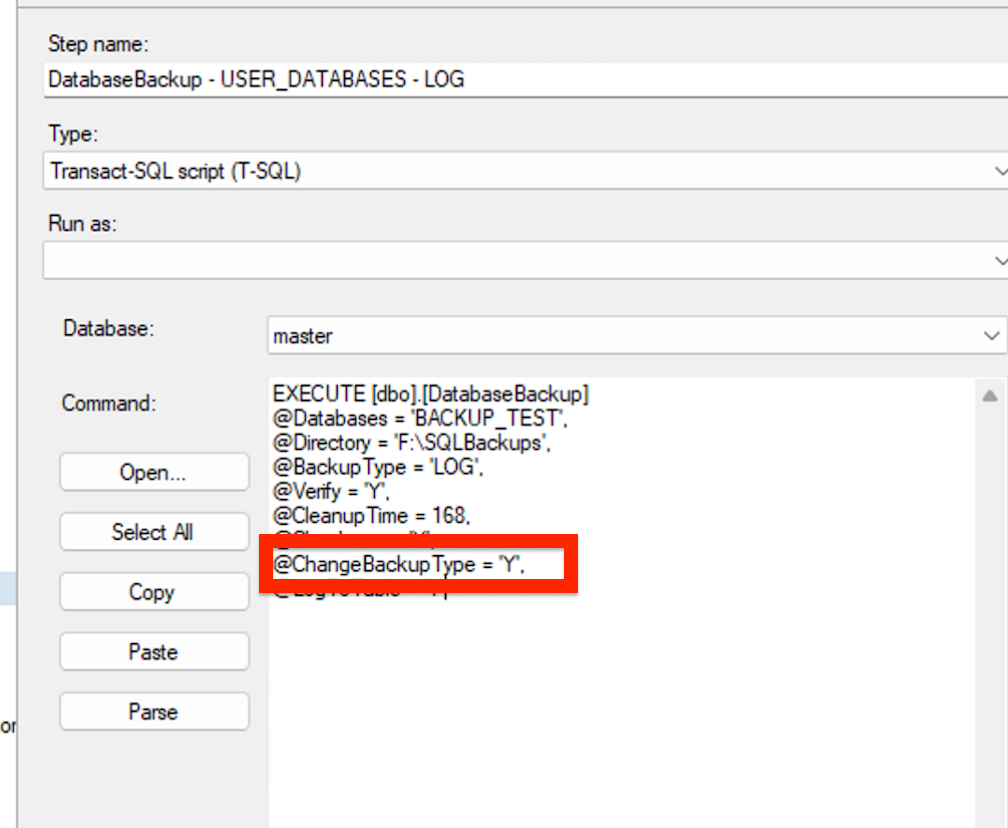
First run takes a full.
Second run after inserting records:
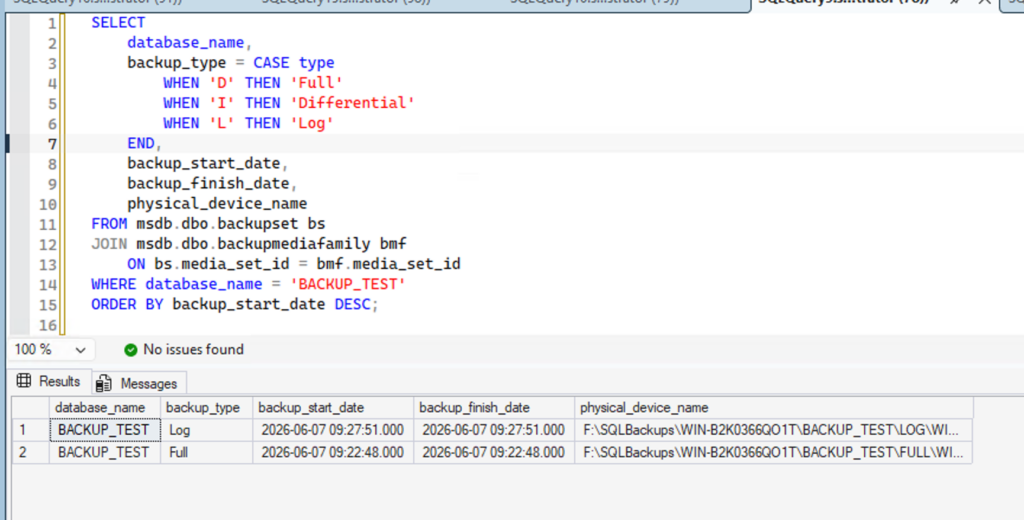
Next run takes a log.
Monitor Backups, Not Jobs
A green checkmark on a SQL Agent job does not mean your backups are good.
Watch:
- Last full backup date
- Last differential backup date
- Last log backup date
- Backup age
- Restore testing results
Review CommandLog as well.
Here is a Query that might be useful:
SELECT
    d.name AS database_name,
    d.recovery_model_desc,

    -- Last backups
    last_full.backup_date     AS last_full_backup,
    last_diff.backup_date     AS last_diff_backup,
    last_log.backup_date      AS last_log_backup,

    -- Backup age in hours
    DATEDIFF(HOUR, last_full.backup_date, GETDATE()) AS hours_since_full,
    DATEDIFF(HOUR, last_log.backup_date, GETDATE())  AS hours_since_log,

    -- Simple flags
    CASE WHEN last_full.backup_date IS NULL THEN 'MISSING' ELSE 'OK' END AS full_status,
    CASE
        WHEN d.recovery_model_desc = 'FULL' AND last_log.backup_date IS NULL
        THEN 'MISSING'
        ELSE 'OK'
    END AS log_status

FROM sys.databases d

-- Last FULL
LEFT JOIN (
    SELECT database_name, MAX(backup_finish_date) AS backup_date
    FROM msdb.dbo.backupset
    WHERE type = 'D'
    GROUP BY database_name
) last_full ON d.name = last_full.database_name

-- Last DIFF
LEFT JOIN (
    SELECT database_name, MAX(backup_finish_date) AS backup_date
    FROM msdb.dbo.backupset
    WHERE type = 'I'
    GROUP BY database_name
) last_diff ON d.name = last_diff.database_name

-- Last LOG
LEFT JOIN (
    SELECT database_name, MAX(backup_finish_date) AS backup_date
    FROM msdb.dbo.backupset
    WHERE type = 'L'
    GROUP BY database_name
) last_log ON d.name = last_log.database_name

WHERE d.name NOT IN ('master','model','msdb','tempdb')
ORDER BY d.name;
Go Test
Now, take a few minutes to audit your own environment and uncover what is actually going on behind those green checkmarks. Go check your backups. Don’t trust the job history.
If you have any strategies please share!


Leave a Reply