Early in my career I thought AGs and FCIs were the same thing, but they’re not. Here’s some quick information for anyone who may NOT know the difference.
AG = Always On Availability Group
FCI = Always On Failover Cluster Instance
Microsoft put both under the Always On name, which is part of why people get them confused.
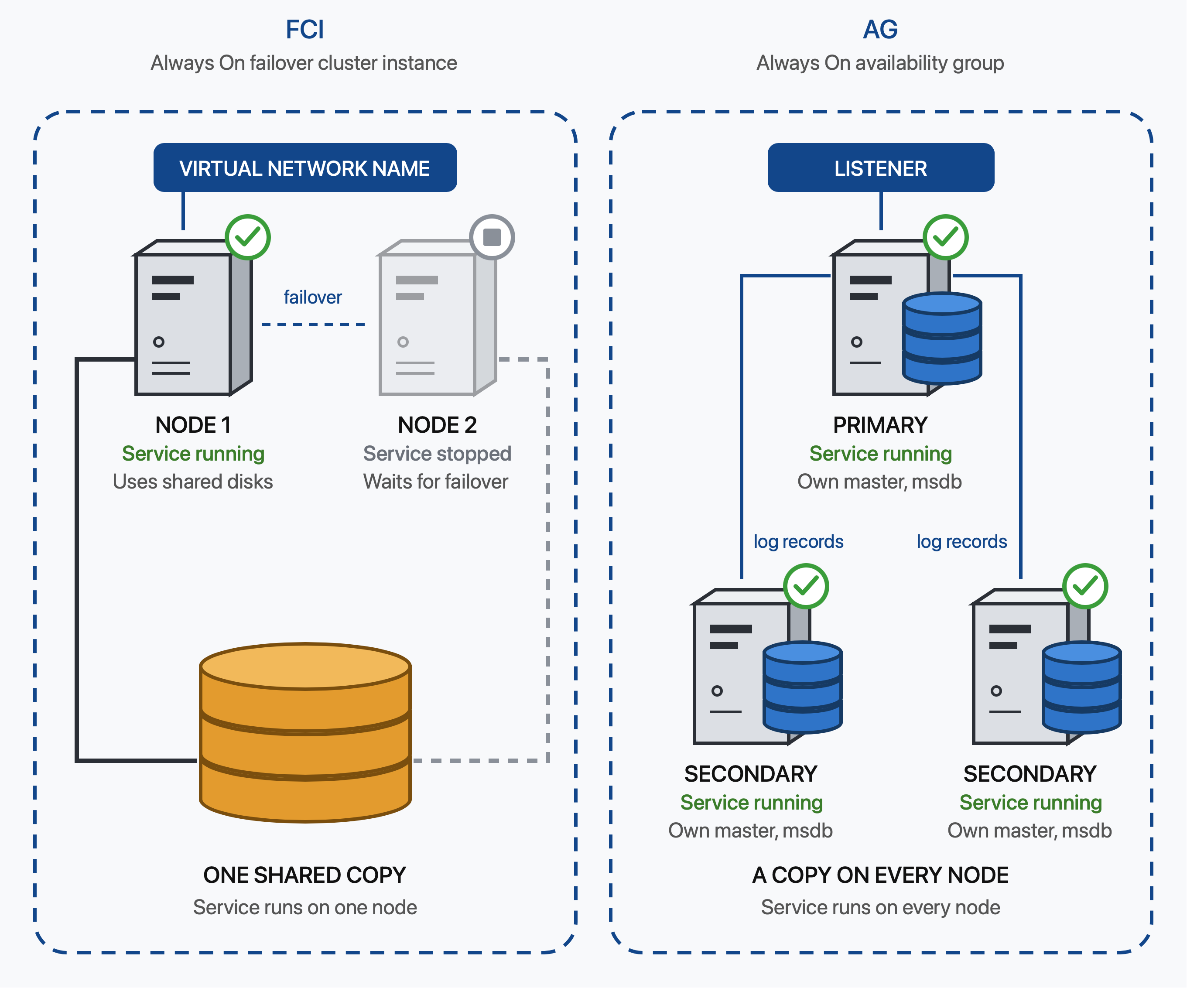
On Windows, FCIs use Windows Server Failover Clustering, and AGs commonly use it too. They protect different things. An FCI protects the SQL Server instance and an AG protects databases.
How an FCI is built
An FCI has two or more nodes in a cluster. SQL Server is installed on every node, but the SQL Server service only runs on one node at a time. The service is stopped on the passive nodes. The data and log files sit on shared storage that every node can reach.
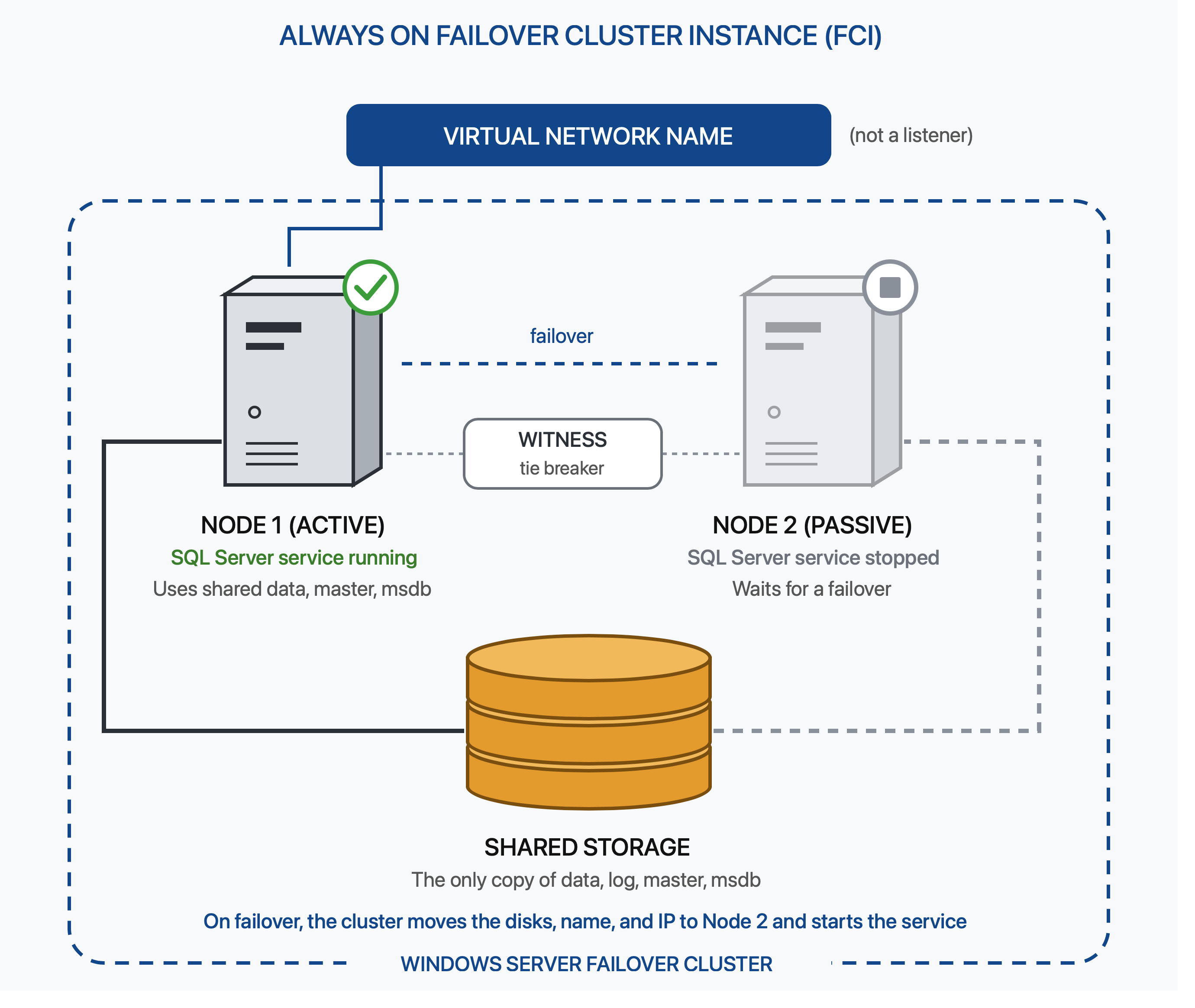
Apps connect to the FCI’s virtual network name. For a named instance, they connect to NetworkName\InstanceName. This is not a listener. Listeners are used with AGs.
During a failover, the cluster moves the SQL Server resources to another node and starts the service there. The master and msdb databases move with the instance, so logins and Agent jobs are available after the failover. SQL Server recreates tempdb when the service starts.
An FCI is failed over through Failover Cluster Manager, not SSMS.
How an AG is built
An AG has a separate SQL Server instance on each node. The SQL Server service runs on every node, and each node has its own storage and system databases. The primary replica sends transaction log records to the secondary replicas. Every replica has its own copy of the databases in the AG.
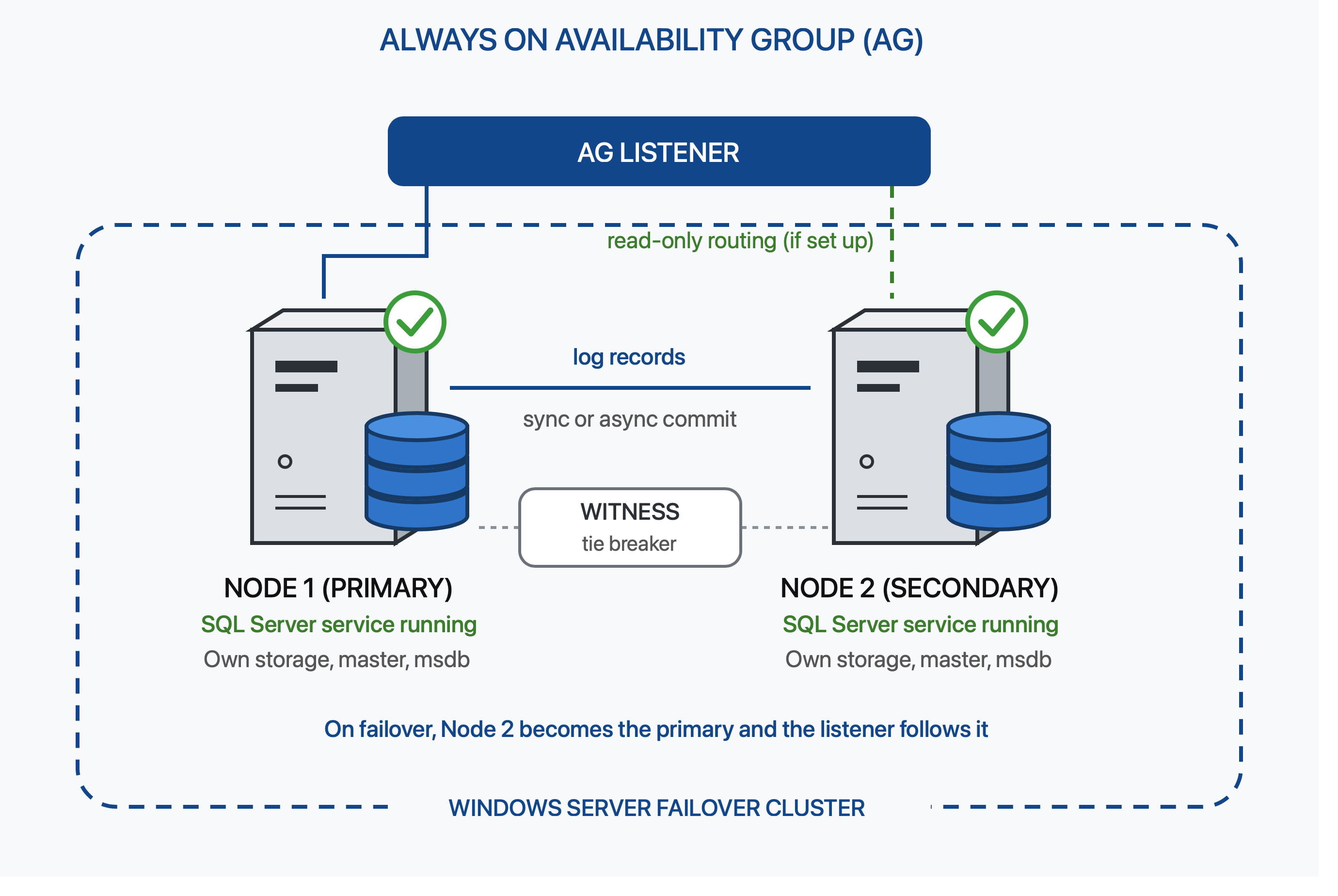
Apps should connect to a listener instead of a server name. The listener directs connections to the current primary. If read-only routing is configured, it can direct read-only connections to a secondary. An AG has one primary and can have up to eight secondary replicas.
An AG can be failed over in SSMS.
Don’t use Failover Cluster Manager to fail over an AG.
Things to know about AGs
Logins and Agent jobs don’t move with a regular AG. You have to create them on every SQL Server instance. SQL logins need the same SID on every instance or users can become orphaned after a failover.
Every replica has its own copy of the data. Three replicas means three copies of the databases in the AG. Keep database file paths the same on every node. Corruption can happen on any replica because each one has its own storage. Run CHECKDB on every replica you may fail over to. Bad changes, like a dropped table, are also sent to the secondary replicas.
Automatic failover requires synchronous commit. Asynchronous replicas require a manual failover and may have data loss.
Things to know about FCIs
An FCI has one copy of the data on shared storage. If that storage fails, the instance can go down. A failover restarts SQL Server on another node. Recovery has to run, and the cache starts empty. You can’t read from a passive FCI node.
In the cloud, an FCI can span availability zones in one region. For cross-region DR, an AG usually makes more sense because it keeps another copy of the databases in the other region.
Which one is best to use?
The biggest difference is how the data is stored. An FCI has one copy on shared storage. It protects against a server failure, but the storage can still be a single point of failure if it isn’t protected. An AG keeps a copy on every replica. That uses more storage, but it can also provide DR in another region.
You also need to consider licensing. Standard Edition supports a two-node FCI, but AG support is limited to a Basic AG. If you use a secondary for reads, you need Enterprise Edition, and the secondary needs to be licensed.
Leave a Reply